Microstock Acceptance
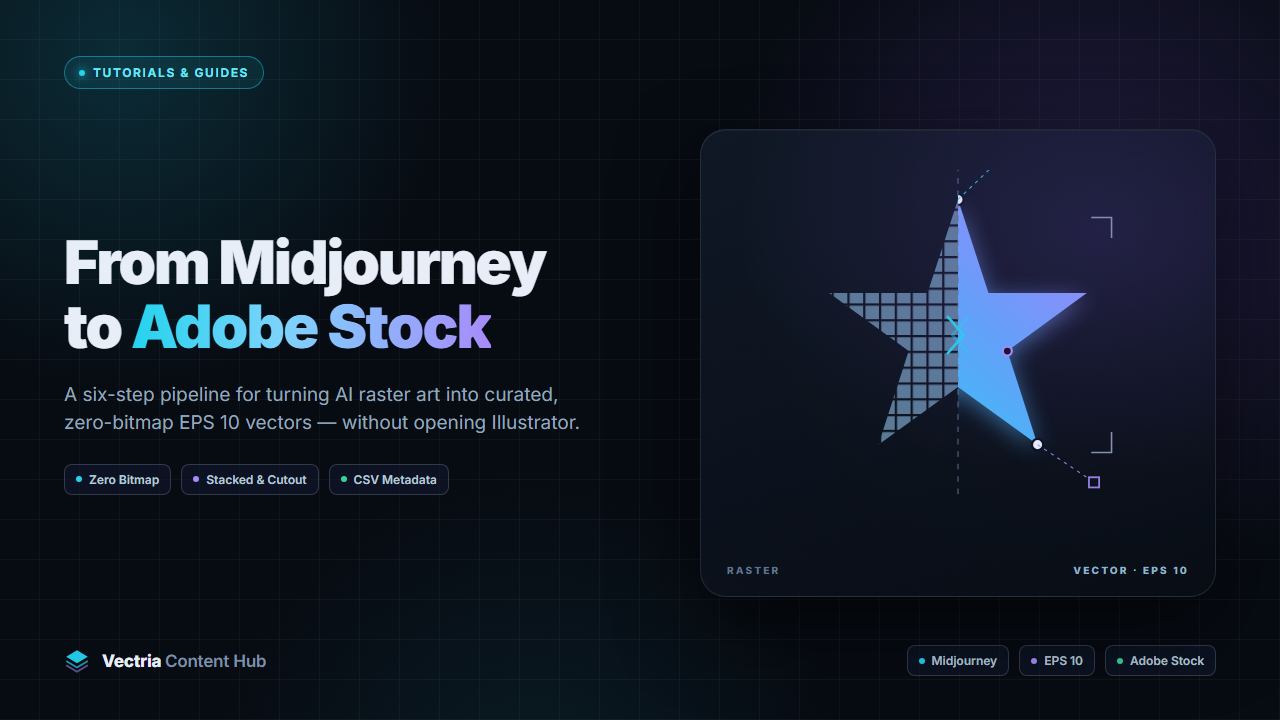
Six steps from a Midjourney or Recraft render to a zero-bitmap EPS 10 file, plus the checks that keep it out of the rejection queue.
Adobe Stock, Freepik, and Shutterstock scan vector uploads for embedded raster data before a reviewer opens them. A file that contains a bitmap can be rejected even when the artwork looks fine. The check happens at upload, but the result depends on choices made earlier: the prompt, the source image, and the tracing preset.
Run the six steps below in this order for any AI image you plan to sell as a vector.
Start with something that can be traced
Tracing can only preserve what the source gives it. Renders with soft light, grain, and blended color may come out flattened or force a bitmap into the export. Flat artwork gives the tracer fewer decisions to make.
Keep the subject alone on white. Scenes give the tracer too many decisions.
Limit the palette. "Six colors" or "monochrome" in the prompt produces cleaner fills than an open color instruction.
Leave text out of the image. Generators misspell it, and vector type has to be outlined anyway.
Choose subjects with a clear outline. Thin hair, smoke, and glass barely survive tracing.
A prompt like "flat vector sticker of a red fox head, thick outline, 5 colors, centered on white, no text, no gradient" traces more cleanly than a cinematic render of the same animal.
Prepare the image before tracing
Start from a square canvas. Most stock previews are 1:1, and a square source avoids padding later.
Use the largest clean file you have. Vectria accepts PNG, JPG and WEBP up to 4000 x 4000 px.
Remove the background first. The white stripping also removes the gray fringe that would otherwise turn into an outline.
Do not re-save the same JPEG repeatedly. Banding turns into speckle paths.
Decide between stacked and cutout
The thumbnail may look the same, but the two exports behave differently in Illustrator.
Layer topologyHow it behavesBest forWatch out for
StackedShapes overlap in a hierarchy, so each element can be selected, recolored or moved on its own.Characters, mascots, badges and scenes.Hidden geometry under deep stacks.
CutoutEvery region is a closed shape that sits flush against its neighbours.Icons, logos, patterns, plotter and CNC work.Fewer options for a buyer who wants to recolor one element.
Choose Stacked for characters and scenes, especially when a buyer might recolor one part. Choose Cutout for icons, logos, and plotter work, where shapes need to sit flush and hidden overlap causes problems.
Match the preset to the style
PresetWhat it optimizes forUse it forAvoid it for
Flat IconSmall palettes, low speckle, protected cornersIcons, pictograms, UI setsShaded characters
Vibrant ArtBalanced settings for saturated, layered artStickers, badges, mascotsTechnical line art
Detailed 3232-color depth with layered shadingMulti-layered illustrationsMinimal flat design
Ultra HD 6464-color depth, dense path detailRich landscapes and color artFlat icons, where it bloats the paths
Full TruecolorMaximum color retentionRealistic photos and paintingsArtwork that has to stay editable
B&W MonolineSingle-color line extractionSilhouettes, stamps, line artMulti-color artwork
Change one setting at a time. Auto-optimize works for mixed batches, while a fixed preset keeps a series consistent when someone buys two or three files from the same set.
Check the export before upload
Before upload, check five things:
Raster objects: 0.
Color mode: sRGB.
No open paths, stray points or empty text paths.
No live text. Outline it or take it out.
A preview JPG made from the same artboard.
The Illustrator-side audit, including the PostScript tokens reviewers search for, is in the zero-bitmap EPS 10 export guide. For the reason the check exists at all, read why zero-bitmap EPS 10 matters.
Write metadata for the buyer
Reviewers judge the file. Buyers see the title, keywords, and thumbnail.
Describe the object and how it is used. "Red fox head flat vector icon, wildlife logo template" gives buyers more information than "cute fox Midjourney v6".
Use 25 to 45 keywords, covering subject, style, use and audience. Irrelevant ones dilute the listing.
Take categories from each marketplace's own list instead of reusing one choice everywhere.
Export one CSV per marketplace so the columns line up.
Upload the EPS and its preview together, then apply metadata before the batch reaches review. If a title needs fixing after rejection, the asset has to go through another review cycle.
What goes wrong most often
SymptomLikely causeFix
"File contains raster elements"Transparency, blur or an unflattened effect survived the exportRe-export from vector geometry only, then check for 0 raster objects
Speckle in flat areasLow-contrast source or JPEG bandingRegenerate with flat colors and a clean background
Thousands of stray pathsPreset too detailed for the artworkDrop to a lower color depth and clean up stray points
Rejected as "too similar"One prompt variant uploaded as many assetsVary the composition and use case
Accepted, no downloadsGeneric title and thin keywordsRewrite the metadata around what buyers search for
Questions that come up
Can I upload a Midjourney image to Adobe Stock as a vector?
Not as a vector file. Adobe Stock takes EPS 10, AI, and SVG for vector uploads. A PNG or JPG is reviewed and sold as a raster image. To sell the artwork as a vector, trace it and export an EPS.
Do I need Illustrator for a compliant EPS 10?
No. Vectria writes Illustrator 10 EPS and SVG from the raster, with closed Bézier paths and no bitmap slices. Illustrator is useful if you want to edit the result by hand.
Which preset fits a sticker pack?
Use Vibrant Art for multi-color stickers with outlines, and Flat Icon when the palette is small and the shapes are geometric. Convert one file first, zoom to 400% to check the paths, then use the same preset for the rest.
Stacked or cutout for icons?
Cutout. Shapes sit flush, nothing hides underneath, and the file stays clean in a plotter. Stacked is for artwork the buyer is likely to take apart.
What does one asset cost?
One conversion produces the SVG, EPS 10, and an HD preview for one vector credit. Metadata generation uses AI credits unless you use your own key. New accounts start with 10 credits, enough to test a small series.
A checklist you can reuse
A repeatable workflow helps keep a portfolio consistent: use one prompt formula, assign a preset to each style, audit each export, and keep a metadata template. Once those pieces are in place, a batch can take minutes.
Vectria does the conversion, writes the EPS and SVG, and exports the metadata CSV. If you want to test the routine on a small series, 10 credits come free at signup.
Convert your raster designs with automated Bézier precision and Adobe Stock pass guarantees.
Try Vectria Studio Free →